 Instant
Ask Instant Agents
Teammates That Sit in the Office
Agents in Instant don’t hide in a menu. Each one has a desk next to your team, shows what it’s working on and what needs you, and answers when you walk up and ask.

How It Works
From Desk to Answer
Add an Agent
Keep them ticked when you set up your workspace, or choose Add in Settings. Each takes a free desk, the Wiki Keeper nearest your books. Bots you build get one with Give It a Desk.
See What It’s Doing
Its nameplate says what it’s working on, or how many things wait on you, so nobody has to ask.
Walk Up and Ask
Click the nameplate to open its card. Ask a question and the answer comes back in a DM.
From Day One
Ready When You Set Up
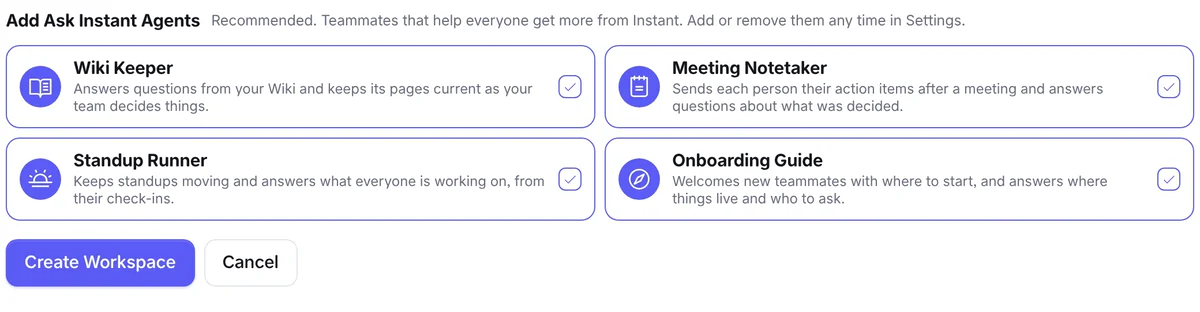
Setting up a workspace ends with Add Ask Instant Agents: all four, each with its job, ticked and recommended. Untick any you don’t want and the rest are at their desks when your team arrives.
- All four recommended at setup
- Add Ask Instant Agents in Get Started
- A quiet offer where each one helps, like Set Up a Standup
Add the Ones You Want
Change Your Mind Any Time
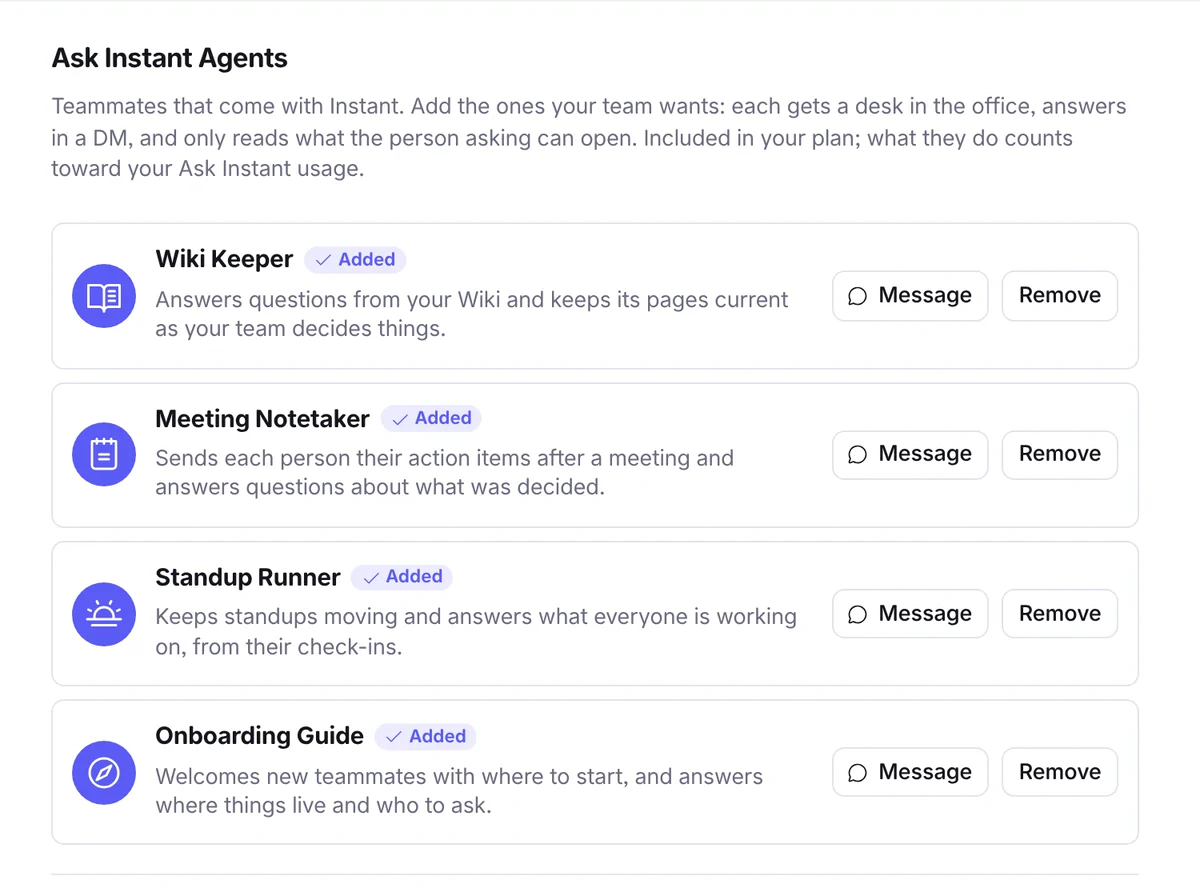
Ask Instant Agents sit at the top of Settings › Bots & Apps, each with its one-line job. Add one and it joins your workspace with a desk and a DM. Remove it and it heads home, with your conversations kept.
- Included in every plan, never a seat
- Anyone who manages apps can add or remove them
- Add it again and the same one comes back
At Their Desks
See What Every Agent Is Up To
A green dot and a few words say what an agent is working on. A number says how much is waiting on you, and it only counts what’s yours. Grey means idle and amber means paused.
- Working, idle or paused at a glance
- Waiting on You counts only your items
- Desks never send notifications

Walk Up
Ask Like You’d Ask a Colleague
Click a nameplate and its card opens: who made the agent, what it does, and what it needs from you, each with a Done button. Type a question and it goes to your DM with the agent.
- See who made it and what it’s for
- Mark things Done right on the card
- Move its desk or send it home

Answers in a DM
A Conversation You Can Come Back To
Your question and its answer stay in a DM with the agent, like any conversation in Instant. Follow up there, search it later, or share the answer in a channel.
- Answers from what it’s allowed to read
- Follow up in the same conversation
- Found again with ⌘K search

Meet the Agents
Built Into Instant
Each Ask Instant Agent does one job well. Read how each one works, what it can see and how to talk to it.
Give It a Desk
Bring the Bots You Build
Any bot in your workspace can sit in the office. Open it in Settings, choose Give It a Desk and pick a free one. Two calls tell the team what it’s doing and ask a person to look at something.
agent.setStatussays what it’s working onagent.addReviewputs something on a person’s list- Slack-style methods, so existing bots fit right in

Private by Design
Agents See What They’re Allowed To
What You Can Open
An Ask Instant Agent answers you only from what you can open yourself. A bot reads only the channels it was added to.
Your List Is Yours
What waits on you shows only on your view of the desk. Nobody else sees your items or your questions.
Quiet by Default
Desks never notify. An agent that needs someone right away sends a message, like anyone else.
Questions
Good to Know
What is an Ask Instant Agent?
A teammate that comes with Instant and does one job well, like the Wiki Keeper, which answers from your handbook and keeps it current, or the Onboarding Guide, which welcomes new teammates. There are four: the Wiki Keeper, Meeting Notetaker, Standup Runner and Onboarding Guide. Pick them when you set up your workspace, or add them later from Settings › Bots & Apps. Each one sits at a desk in your office.
Can agents join calls or listen in?
No. Agents sit at their desks. They never walk around the office, join a call or use a microphone.
What can an agent see?
Only what it’s allowed to. An Ask Instant Agent only reads what the person asking can open. A bot reads the channels it was added to and what its scopes allow. Walking up never widens either.
Will a desk send me notifications?
No. A desk shows what waits on you when you look. An agent that needs someone right away still sends a message, like anyone else.
How do we add them?
Setting up a workspace offers all four, ticked. After that, anyone allowed to manage apps adds or removes them in Settings › Bots & Apps, where they sit at the top under Ask Instant Agents.
Who can add or move agents?
Anyone allowed to manage apps adds and removes Ask Instant Agents and moves their desks. A bot’s maker can move that bot’s desk too.
Do agents cost extra?
Ask Instant Agents are included in every plan and never take a seat. What they do counts toward your workspace’s Ask Instant usage. A bot your team builds takes a seat, like a teammate, at $5 a month.
Can I bring my own agent?
Yes, two ways. Build a bot with the API and give it a desk, or connect Claude, ChatGPT or Cursor with Connect Your Agent to work on your behalf. A personal agent works as you, so it has no desk of its own.
Give Your Team a Few More Hands
Set up your office and all four Ask Instant Agents are ticked and ready. Every plan includes them.