 Instant
Ask Instant Agents
A Wiki That Keeps Itself Current
Ask the Wiki Keeper anything your handbook covers and it answers with the page it used. When your team settles something in a channel or a meeting that makes a page wrong, it drafts the corrected line for the page’s owner. One click applies it.
Getting Started
Add It, Then Ask
Add It
In Settings › Bots & Apps, choose Add next to the Wiki Keeper. It takes the desk nearest your office’s books.
Ask It
Message it, or walk up to its desk and use Ask. It answers from the pages you can open and links each one.
Ask for a Change
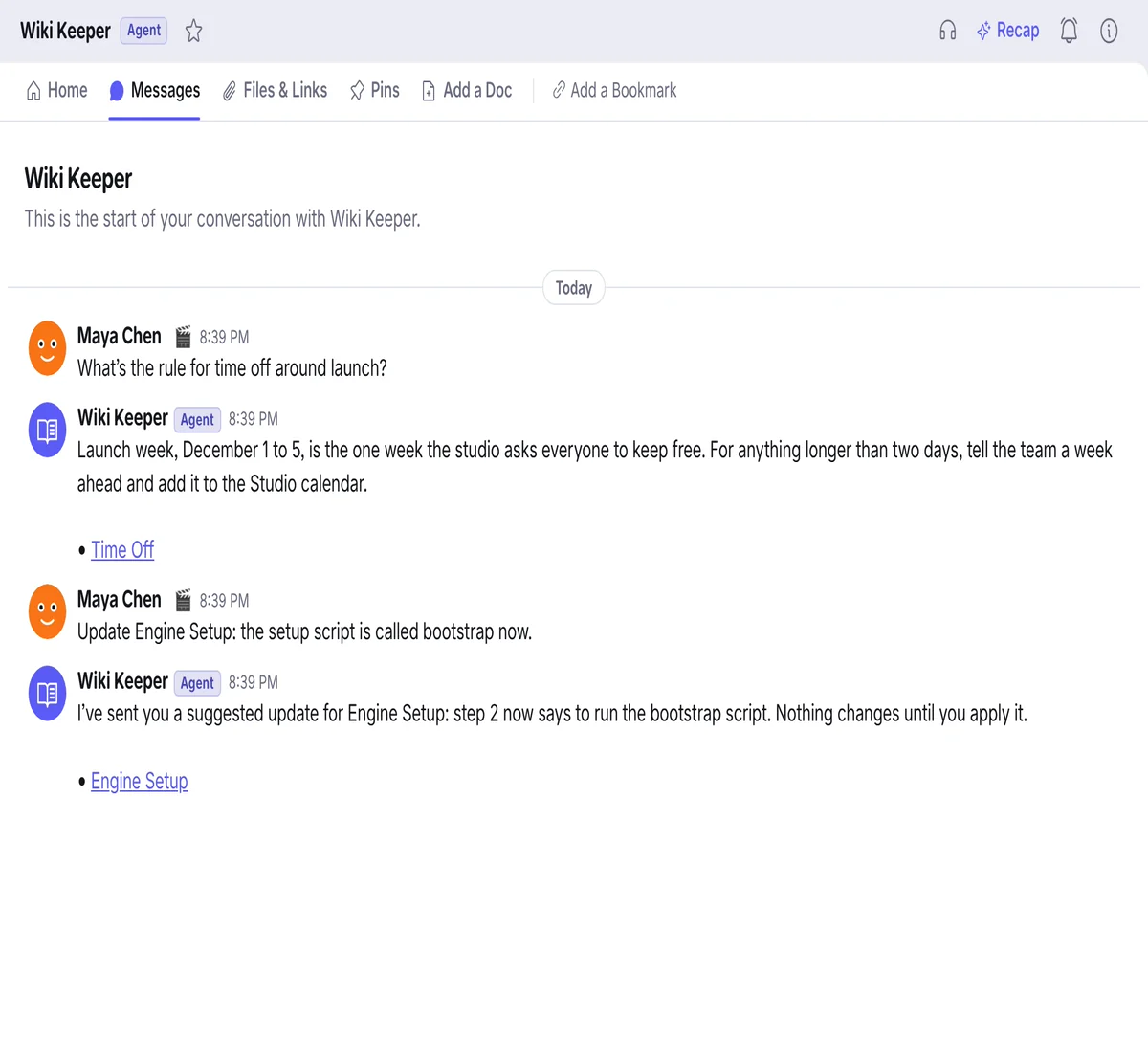
“Update Engine Setup, the script is called bootstrap now.” It sends the fix to the page’s owner.
Talk to It
Answers With the Page Attached
Message the Wiki Keeper like a teammate. It answers in a sentence or two, links the pages it used, and says so when the Wiki doesn’t cover it. Ask it to fix a line and it sends the change to the page’s owner.
- Only from pages you can open
- Changes go to the owner, never straight in
- Titled links to every page it used
At Its Desk
It Sits by the Books
The Wiki Keeper takes the desk nearest your office’s bookshelf. Its nameplate counts the suggestions waiting on you, its card has an Ask box, and Review Suggestions takes you straight to them.
- Ask it right from its card
- Move it or send it home
- Paused when Ask Instant is off

How It Works
From “We Decided” to the Page
It Notices
Messages that read like a decision, such as “from now on” or “we decided”, and decisions in meeting notes are set aside to check.
It Checks
A few minutes later it finds the pages about the same thing and asks whether a line is now wrong. Usually it isn’t, and nothing happens.
It Suggests
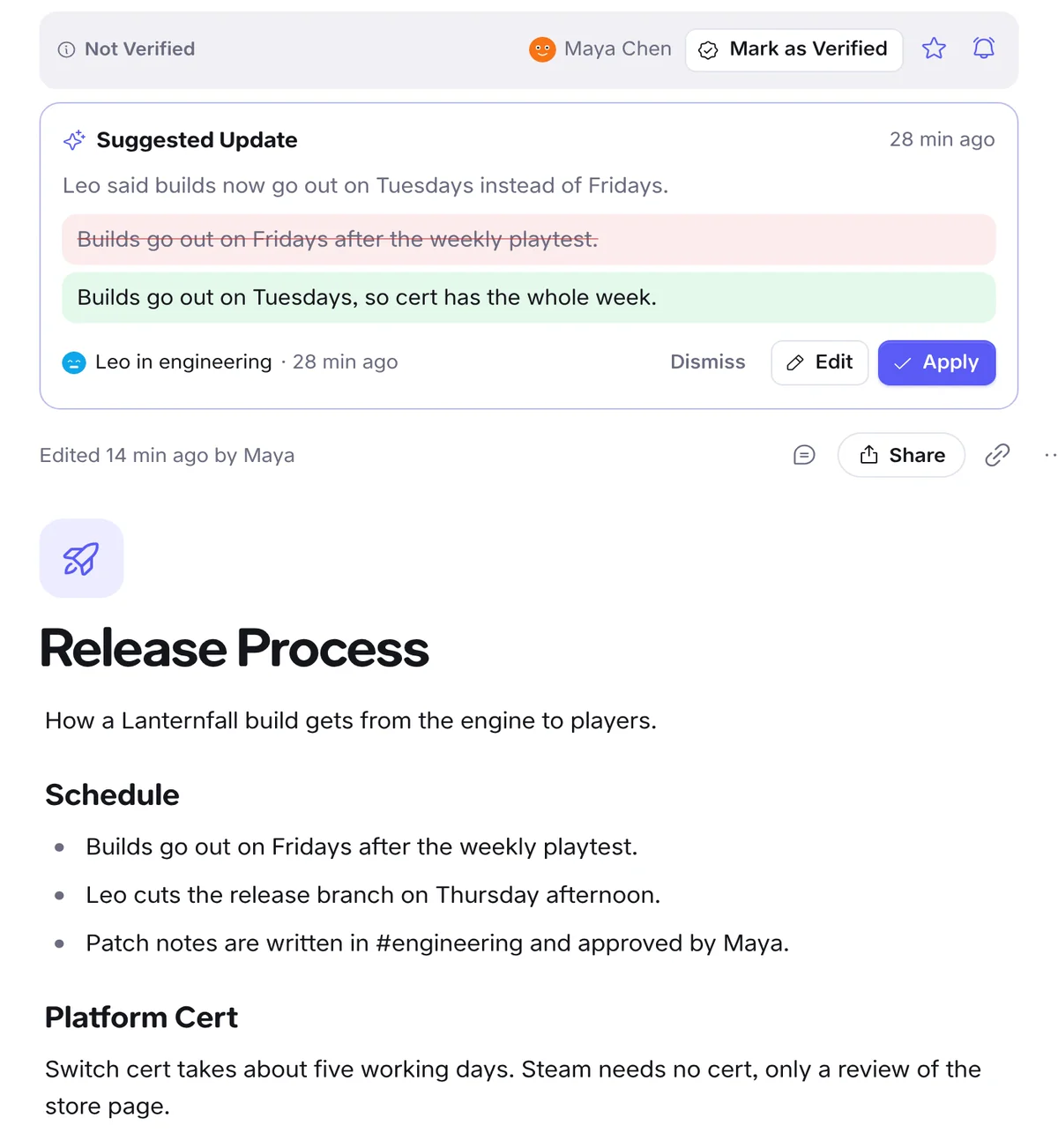
The page’s owner gets a Suggested Update: the line then, the line now, one sentence of why, and where it was said.
You Decide
Apply it, reword it first with Edit, or Dismiss it. Nothing on the page changes until you do.
Suggested Updates
Every Fix Shows Its Source
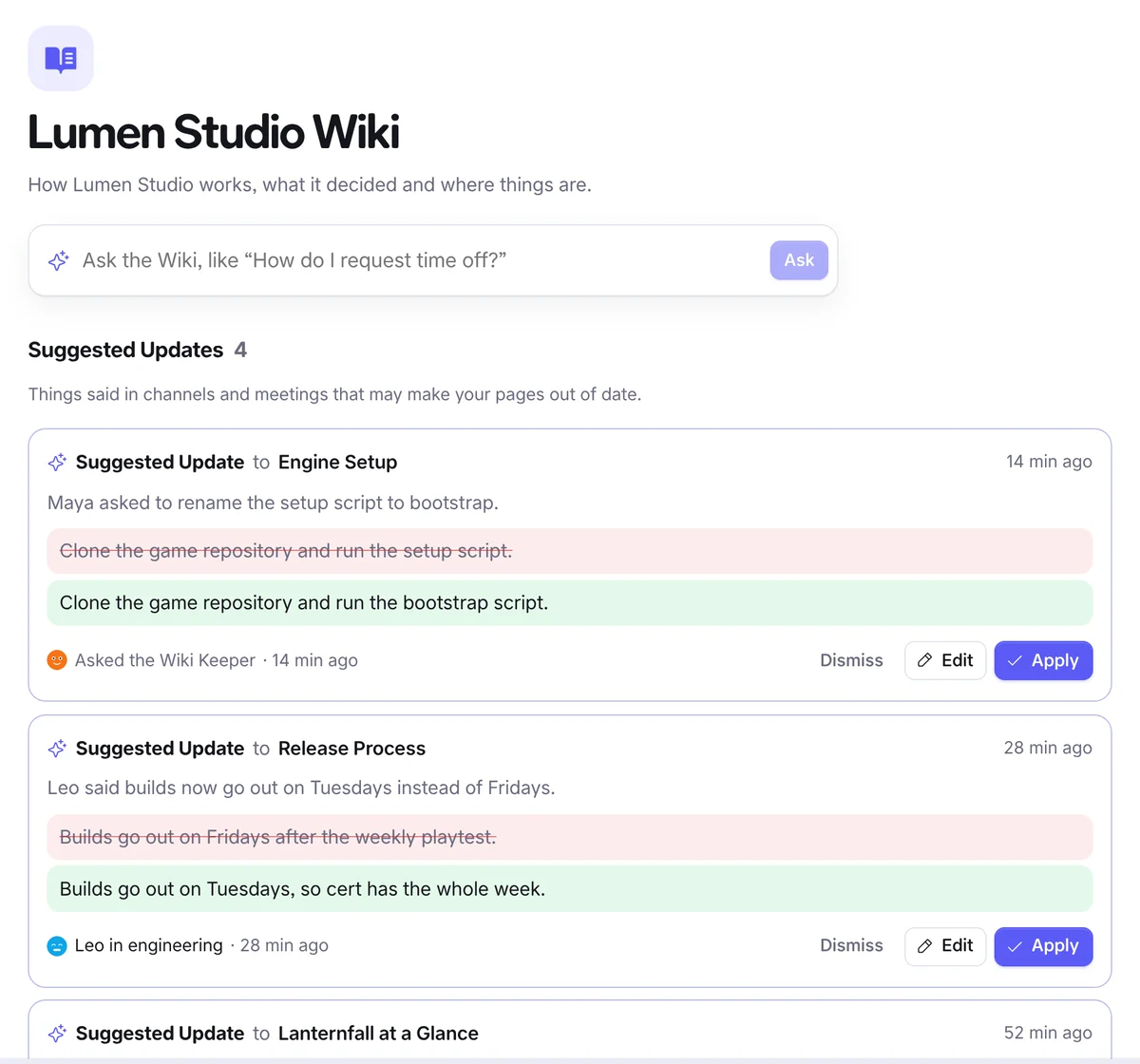
Suggestions for the pages you own wait on Wiki Home and above the page itself. Each one names who said it and where, so you can check before you apply.
- The line then and the line now, side by side
- A link back to the message or meeting
- Applied changes are added to the page’s Sources
What It Can See
Careful With What It Reads
Never DMs or Rooms
To notice decisions it reads channels and meeting notes, never other people’s DMs or room chats. To answer you, it reads only pages you can open.
Private Stays Private
A private channel’s message is only checked against pages whose owner is in that channel, and anyone who can’t read it sees only “a private channel”.
Owners Decide
It never edits a page on its own. Every change waits for the owner, and every applied change is in the audit log.
The Details
Small Rules That Keep It Trustworthy
One Line at a Time
It rewrites lines that exist. New sections are still yours to write, or start one with Add to Wiki.
Only Settled Things
Questions, proposals and plans still being discussed are left alone.
Safe if the Page Moved On
If someone changed the line since, the suggestion is set aside and the page stays as it is.
One Suggestion per Line
One open suggestion per line, and the same message never suggests the same line twice.
In Wiki Health
Whoever looks after the handbook sees open suggestions next to pages due for review.
Yours to Turn Off
Remove it in Settings › Bots & Apps, or keep it for answers and switch off Suggest Updates from Chat.
More Agents
Every Agent Has a Desk
Questions
Good to Know
Does it change pages by itself?
No. Every change waits for the page’s owner, who can apply it, reword it first or dismiss it.
Who gets the suggestions?
The page’s owner, and anyone with Full Access to the page. They show on Wiki Home, above the page, in Activity and on its desk.
Does it read DMs?
No. It reads channels and meeting notes, never DMs or room chats. A message in a private channel is only checked against pages whose owner is in that channel.
What counts as a decision?
Things said as settled, like “from now on”, “we decided” or “moving to”, and the decisions in meeting notes. Questions, proposals and plans still being discussed don’t count.
How do we add it?
Open Settings › Bots & Apps and choose Add next to the Wiki Keeper under Ask Instant Agents. Anyone allowed to manage apps can add or remove it. Its suggestions from chat can be switched off on their own in Settings › Wiki › Suggest Updates from Chat.
Can it edit a page if I ask?
No. Ask it to change a line and it sends a Suggested Update to the page’s owner, with your request as the source. The owner applies it.
What does it answer from?
Only the Wiki pages you can open. It links every page it used, and says plainly when the Wiki doesn’t cover something.
Does it cost extra?
No. It’s included in every plan and never takes a seat. What it does counts toward your workspace’s Ask Instant usage.
Is our data used to train models?
No. Instant never uses your data to train models.
Keep Your Handbook True
Start your Wiki from a template and add the Wiki Keeper to look after it from day one.